Understanding ATS and Its Importance
Grasp the role of ATS in the hiring process.
Applicant Tracking Systems (ATS) are software used by employers to manage recruitment processes. Understanding how ATS works is crucial for job seekers who want their resumes to be seen by human recruiters.
These systems scan resumes for specific keywords and phrases that match the job description. If a resume lacks these elements, it may never reach a hiring manager's desk.
Choosing the Right Resume Format
Select a format that optimizes your resume for ATS.
When creating an ATS-friendly resume, the format you choose is essential. The most recommended format is the chronological resume, which lists work experience in reverse chronological order.
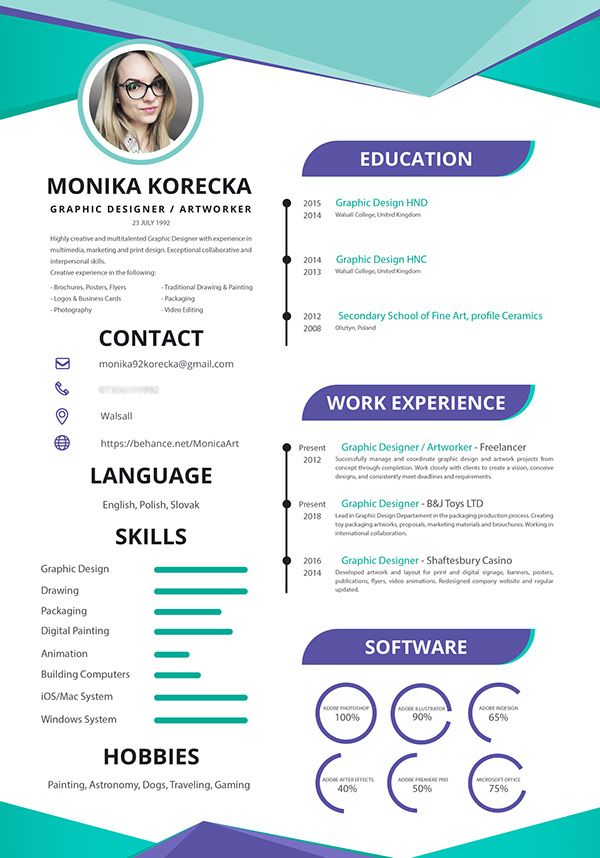
Avoid using complex templates or graphics as they can confuse ATS software. Instead, opt for a simple layout with clear headings and standard fonts.
Incorporating Keywords Effectively
Learn how to identify and use keywords in your resume.
Identify keywords by reviewing the job description carefully. Look for specific skills, qualifications, and industry jargon that are frequently mentioned.
Incorporate these keywords naturally throughout your resume, especially in the skills section, work experience, and summary. However, avoid keyword stuffing, as it can make your resume less readable.
Crafting a Compelling Summary Statement
Write a summary that captures attention and passes ATS.
Your summary statement should encapsulate your professional identity and key skills. Start with your job title and years of experience, followed by your top achievements and qualifications.
Ensure that your summary contains relevant keywords to increase its chances of being recognized by ATS while remaining engaging for human readers.
Formatting and Finalizing Your Resume
Ensure your resume is properly formatted for ATS.
Keep the formatting simple: use standard fonts like Arial or Times New Roman, and avoid images, tables, and text boxes. Use clear headings such as 'Experience,' 'Education,' and 'Skills' to help ATS categorize your information.
Save your resume in a compatible format, such as .docx or PDF, depending on the employer’s requirement. Double-check for spelling and grammatical errors before submission.
Testing Your Resume for ATS Compatibility
Use tools to test your resume before sending it out.
Leverage online resume scanning tools to assess your resume's compatibility with ATS. These tools can help identify missing keywords and formatting issues.
After making adjustments based on feedback, consider asking a friend or mentor to review your resume for clarity and effectiveness before applying.
Ready to get started?
Put these tips into action with our AI-powered builder and professional templates.
Get Started